
Màn hình tương tác đã trở thành công cụ thiết yếu trong các lớp học hiện đại. Chúng không còn là màn hình đơn giản nữa-chúng là những trung tâm giảng dạy giúp tăng cường sự hợp tác, cải thiện sự gắn kết và sắp xếp bài học. Lựa chọn màn hình tương tác phù hợp không chỉ là một quyết định mua hàng; đó là một khoản đầu tư giáo dục lâu dài.
Trên thị trường giáo dục, màn hình tương tác qtenboard và các thương hiệu chính khác thường được so sánh. Nhưng hiệu suất lớp học thực sự cho thấy sự khác biệt đáng kể.
Bài viết này so sánh năm Tính năng quan trọng nhất cho việc giảng dạy:
Tất cả các so sánh dựa trên các tính năng có sẵn mà không cần đăng ký thêm, đảm bảo các trường học nhận được đánh giá công bằng và thực tế.
Để làm cho công nghệ thực sự hữu ích, kết nối thiết bị phải đơn giản và đáng tin cậy.
Qtenboard bao gồm một hệ thống cộng tác không dây tích hợp cho phép:
Hầu hết các thương hiệu khác đều yêu cầu:
Điều này làm chậm bài học và tăng độ khó tập luyện.
Chú thích là một trong những tính năng được sử dụng thường xuyên nhất trong lớp học.
Qtenboard hỗ trợ công nghệ bút Windows/Mac tiên tiến:
Trải nghiệm Viết cảm thấy tự nhiên và không bị gián đoạn.
Hầu hết các thương hiệu cạnh tranh đều sử dụng chú thích Lớp phủ:
Giáo viên phải lặp lại các hành động tương tự liên tục.
Hợp tác là một phần cốt lõi của các hoạt động lớp học hiện đại.
Bảng mạch hỗ trợ cảm ứng 40 điểm, cho phép:
Lý tưởng cho công việc nhóm, hoạt động STEM và các trò chơi tương tác.
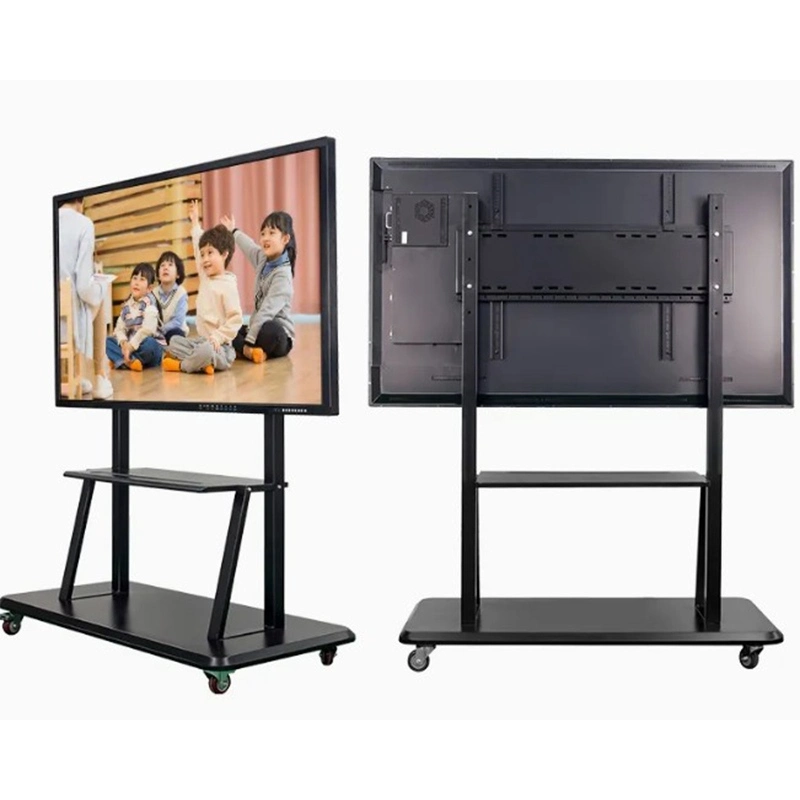
| Thương hiệu | |
|---|---|
| Qtenboard | |
| Kích thước | |
| 55'' / 65'' / 75'' / 86'' / 98'' / 105'' / 110'' | |
| Mô hình | |
| QM-55HY / QM-65HY / QM-75HY / QM-86HY / QM-98HY / QM-105HY / QM-110HY | |
| Thông số kỹ thuật LCD | |
| Độ phân giải | Độ phân giải 4K 3840*2160 |
| Độ sáng | 350cd/m² / 400cd/m² / 450cd/m² |
| Tỷ lệ tương phản | 4000:1 (loại.) |
| Độ sâu màu | 16.7M(8bit) |
| Góc nhìn | 178 ° (cao)/178 °(V) |
| Cuộc Sống LCD | 60,000 giờ (loại.) |
| Thông số kỹ thuật Android | |
| CPU | 9679/3576/311d2/V100/3588 |
| Hệ điều hành Android | Android 14.0 |
| RAM ROM | 4 32G / 8 128G / 16 256G (tùy chọn) |
| Wifi | 2.4G & 5g |
| Bluetooth | 5.2 |
| Khóa trẻ em | Hỗ trợ |
| Chiếu không dây | Hỗ trợ |
| Thông số màn hình cảm ứng | |
| Loại cảm ứng | Liên kết Khoảng cách không cảm ứng hồng ngoại |
| Điểm cảm ứng | 20-50 điểm |
| Chạm vào chiều cao | 1mm |
| Máy ảnh | |
| Camera và Mic tích hợp | Tùy chọn 4800mp (micro 8 mảng) |
| Điện | |
| Loa | 20W * 2 |
| Nguồn dự phòng | ≤ 0.5W |
| Nguồn điện | AC100V-240V,50-60Hz |
| Môi trường làm việc | |
| Nhiệt độ làm việc | 0℃ ~40℃ |
| Độ ẩm làm việc | 20% ~ 85% (không ngưng tụ) |
| Nhiệt độ lưu trữ | -10℃ ~ 60℃ |
| Độ ẩm lưu trữ | 10% ~ 60% (không ngưng tụ) |
| Giao diện đầu vào/đầu ra | |
| Type-B 2.0, Type-C, HDMI in, HDMI out, USB, USB-B, DP, VGA, thẻ TF, mic, RJ45 in, RJ45 out, RS232 in (tùy chọn) | |
Được thiết kế dành riêng cho lớp học thực sự:
Tất cả mọi thứ hoạt động ra khỏi hộp.
Hầu hết chỉ cung cấp các chức năng cơ bản như:
Các công cụ dạy học được nâng cấp thường yêu cầu truy cập đăng ký.
Nhiều thương hiệu tuyên bố "hệ thống Android", nhưng khả năng sử dụng thực tế khác nhau rất nhiều.
Hỗ trợ bảng qtenboard:
Do CPU mạnh mẽ được chứng nhận edla, hiệu suất ứng dụng mượt mà và ổn định.
Trên tất cả các kịch bản giảng dạy quan trọng, qtenboard cung cấp giải pháp hoàn thiện nhất, thân thiện với giáo viên và sẵn sàng trong tương lai:
Qtenboard không chỉ là một màn hình tương tác-Nó là một đối tác lâu dài cho việc học kỹ thuật số hiện đại.
Nhấp để ĐọC Chi tiết sản phẩm và tìm hiểu về các tính năng chức năng và hiệu suất thực tế của sản phẩm.
📖Đọc sản phẩm
 VIE
VIE
 EN
EN  MAY
MAY  TH
TH  CHT
CHT  ID
ID  BUR
BUR  FIL
FIL  HKM
HKM  LAO
LAO  SIN
SIN